
- Tips
- technology
- Frequently Asked Questions
- Tests
- mAh capacity
- Rated Capacity
- comparison
- everActive
- Batteries vs rechargeable batteries
- Accumulated energy
- Durability of rechargeable batteries
- Efficiency of rechargeable batteries
- battery voltage
- LR03 AAA
- LR6 AA
- eneloop
- AG13 LR1154 LR44
- CR 2032
- Delta V
- Charge Cycles
- internal resistance
- charge level
- memory effect
- accredited test
- SR44 357
- Hearing Batteries 675
- SR626 377
- Watch Batteries
- Polarity
- Mah
- passivation
- LS 14250
- LS 14500
PENDRIVE (colloquially: Pen Drive) - what are they and what types are there?


Initially, the flash drive offered capacities comparable to those of floppy disks, but the rapid technological development of flash memory caused that it quickly surpassed ZIP drives in terms of capacity, and now it is comparable to hard drives. At the moment (2019), you can find flash drives with capacities of up to 4 TB.
The flash drive is a Plug & Play portable device - it is usually attached to the computer directly via the USB connector, so it does not require additional accessories such as a docking station or an additional computer drive. Speed varies by USB version (1.1, 2.0 or, since 2010, 3.0) and the speed of the flash memory used. The current size of modern devices called "mini" series does not exceed twice the size of the USB connector. Older models were usually equipped with a characteristic write lock and erase switch, similar to floppy disks.
Types and speeds:USB devices can be divided into three groups due to compliance with the accepted specifications:
- USB 1.1 (Full Speed) – devices that meet the conditions of this specification can operate at speeds of 1.5 Mbps (0.1875 MB/s) or 12 Mbit/s (1.5 MB/s)
- USB 2.0 (Hi-Speed) – devices compliant with the conditions of the new specification can operate at a speed of 480 Mbps (60 MB/s), but in practice they only achieve a speed of 320 Mbps (40MB/s). USB 2.0 devices are fully compatible with older devices.
- USB 3.0 (SuperSpeed) – Devices transfer data (when connected to a USB 3.0 port) at speeds of up to 4.8 Gbps (600 MB/s). The first devices appeared in 2009. For now, they achieve lower speeds than the standard predicts due to the protocols supported. The memory can transfer data via both USB 3.0 and USB 2.0 ports (transferring data via the USB 2.0 port at a correspondingly slower speed, of course).
Pen drives are used by most people who use a computer. Therefore, they must be small enough to put in your pocket and take with you. They are produced in various shapes of rectangular key rings, credit cards, as well as figurines of various figures or objects, and even round ones.
Application
More and more flash drives include, in addition to the external memory function, additional functions in the form of an mp3 player, dictaphone, FM radio, digital camera, etc.
Transfer of personal data
The most common use for these memories is to move and store personal files such as documents, apps, photos, music, and videos.
Computer repair
They are successful in recovering data from laptops with portable data recovery applications, as well as removing viruses or spyware from the infected computer.
Audio Players
Flash memories equipped with a headphone output and almost all models use mini LCD or OLED displays. They support MP3, WMA, WAV, MIDI, MP4, AIFF, etc.
Booting operating systems
This feature is similar to LiveCD, which boots from the CD/DVD drive itself, e.g. an operating system or a specific program without the need to install it, this feature is called LiveUSB.
Increase system memory
In the latest Microsoft operating systems (Windows Vista and Windows 7), the use of the ReadyBoost function allows you to increase the operating memory of the system by using the free memory of the connected flash drive or part of it. In the Linux operating system, mounting a flash drive, creating a file of a certain size (dd) on it, is marked as a swap (mkswap) and adds to the swap pool (swap).
Data security
The latest flash drives are becoming more and more durable, resistant to shocks and even to falling from a height of several dozen meters. Waterproof and fireproof versions are also produced. You can also buy flash drives equipped with built-in software that requires you to enter a password before reading the data (often this data is encoded with special algorithms), and for the more demanding versions, there are versions equipped with a fingerprint reader, which makes it impossible for unauthorized people to read files stored on the flash drive.
See the offer of flash drives in the hurt.com.pl store
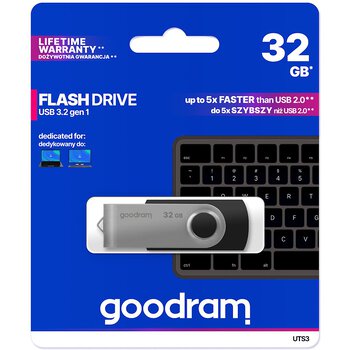
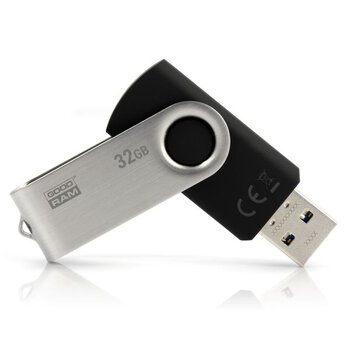
USB 3.2 GoodRam UTS3 32GB Flash Drive
- USB 3.2 Gen 1 (compatible with USB 3.0 / 2.0)
- written speed: up to 20MB/s
- reading speed: up to 60MB/s
- rotating USB locking system
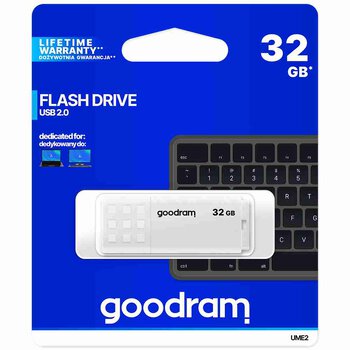
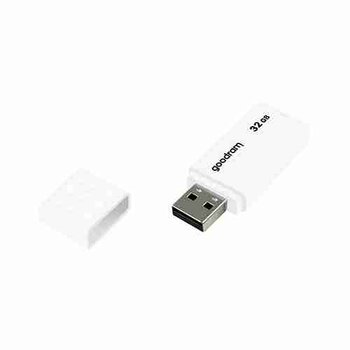
USB 2.0 GoodRam UME2 32GB Pendrive
- USB 2.0 interface
- read speed: up to 20MB/s
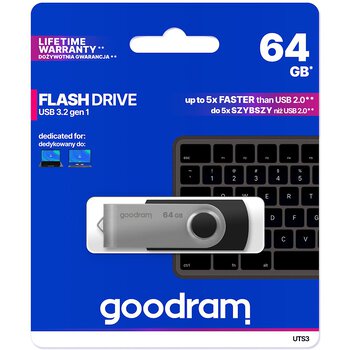
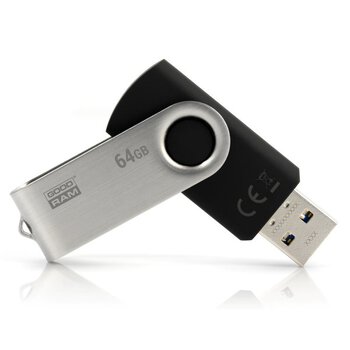
USB 3.2 GoodRam UTS3 64GB Pendrive
- USB 3.2 Gen 1 (compatible with USB 3.0 / 2.0)
- write speed: up to 20MB/s
- read speed: up to 60MB/s
- rotating USB locking system